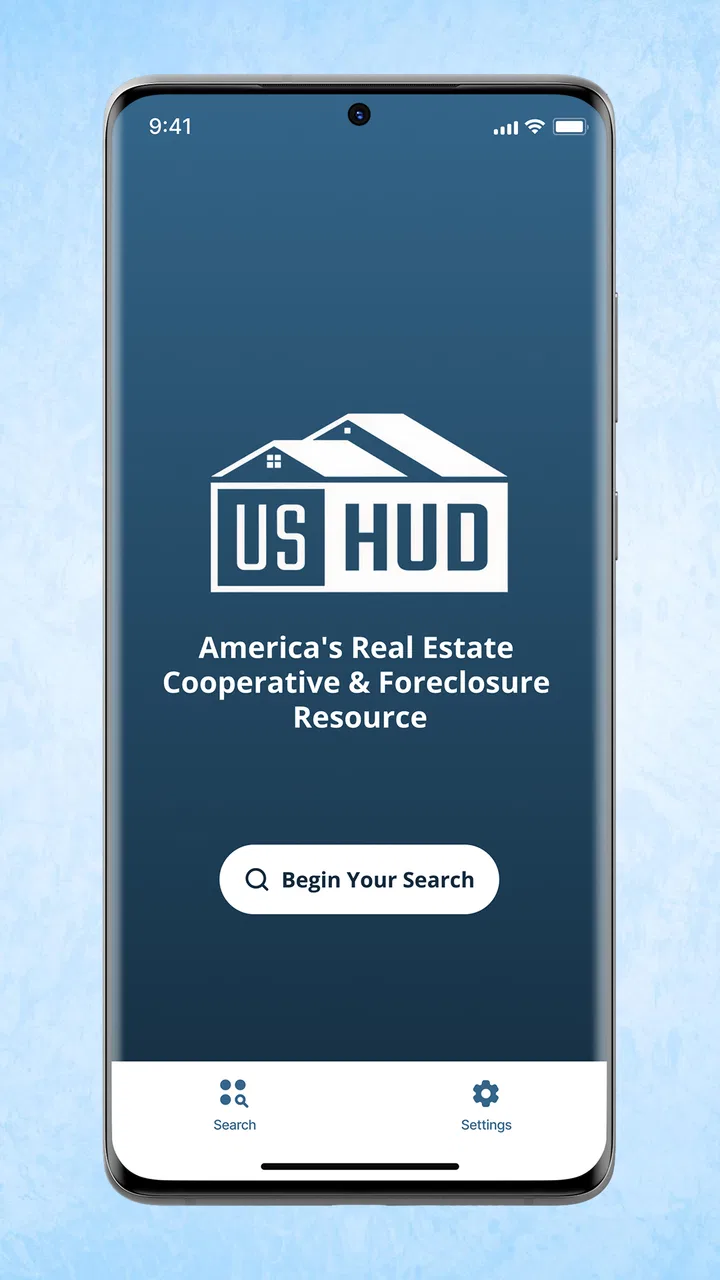
Foreclosure Home Search
- 3.8
- Rating
- 1.00M
- Installs
- Free
- Price

 Analysis by App-foxy
Searching for a home in foreclosure can feel very different from browsing ordinary property listings. The prices may look attractive, but the process often involves stricter timelines, unfamiliar terms, and more research before a property makes sense. Foreclosure Home Search, built by Heavy Hammer, is aimed at people who want a focused way to look for these opportunities through a phone rather than relying only on broad real-estate apps or scattered web searches.
I spent time with the app as a House & Home tool, and my impression is that it works best as a discovery aid. It can help you identify possible leads in your area and create a starting point for further investigation. It is not a substitute for checking legal records, arranging an inspection, confirming financing, or speaking with a qualified real-estate professional. That distinction matters because a foreclosure listing can require much more work than a normal “tap and buy” property search.
My short version: this is a useful first-pass search tool for curious buyers and investors, but it should be treated as a lead generator rather than a complete purchase system.
You May Also Like

 Blood Strike: 2.5 Anniversary
Blood Strike’s Loadouts Turn Every Drop Into a Tactical Gamble
A close look at Blood Strike’s custom loadouts: how fast access to signature weapons reshapes its battle royale rhythm, rewards preparation, and narrows the gap between fights.

 Pandora - Music & Podcasts
Pandora’s Music Is Easy to Start, but Harder to Recover
Pandora’s strength is its low-effort path from a seed to a station. Its weak spot is how much confidence it asks you to place in connection, setup, and quiet recovery.

 8 Ball Pool
 Is Built on Rivalries, Rematches, and Routine
A close look at the rivalries, rematches, shared routines, and unanswered safety questions that turn a quick pool match into a persistent mobile community.

 Samsung Music
’s Quiet Strength Is Playing What You Already Own
Its reach comes less from spectacle than from dependable access to a personal library. That simplicity is both the app’s strongest retention engine and its ceiling.

 AccuWeather: Weather Radar
AccuWeather Review: A Quick, Clear Forecast for Everyday Decisions
For everyday plans, the best forecast is the one you can understand quickly. AccuWeather makes rain timing, radar, and local conditions easy to act on, with a few trade-offs.

 Hill Climb Racing
Why Hill Climb Racing Still Turns Crashes Into One More Run
A tiny car, a bumpy hill and one more upgrade: Hill Climb Racing keeps resurfacing because its simple chaos makes every near-miss feel personal.
More From Our News Desk
View All News


How the app feels in its current state
I find that a household can use Foreclosure Home Search as a shared starting point for discussing possible properties, but the useful part is the conversation and research that follows—not treating a result as a ready-made decision. In this section, I focus on how to make a shared search practical while keeping each person’s notes and conclusions clear. That naturally raises the question of how to set boundaries around a shared device.
A narrow purpose that is easy to understand
The app’s central idea is straightforward: help me look for homes connected with foreclosure sales in a chosen area. That focus is its main advantage. Instead of opening a general property app and trying to identify distressed listings among thousands of ordinary homes, I can begin with a more specific type of opportunity.
That makes the experience especially useful when I already know the location I want to investigate. For example, if I am considering a move to a nearby county, I can use the app to scan for possible foreclosure properties, note addresses that look relevant, and then decide which ones deserve deeper research. The workflow is more practical for building a shortlist than for making an immediate offer.
The app is free, which lowers the barrier to trying it. It is also rated for Everyone, so it is presented as a broadly accessible household and property-search utility rather than a specialist financial product with an adult-only audience. Heavy Hammer has kept the concept centered on finding homes, not turning the experience into a complicated investment dashboard.
What I would use it for during a normal week
A realistic use case is a buyer who has a flexible move date and wants to understand what kinds of properties are appearing locally. I might check the app during a commute, save a few addresses in my notes, and later compare those properties with county records, maps, and conventional listings. The app is helpful at the beginning of that chain because it gives me something concrete to investigate.
I would also use it as a market-scouting tool. Even if I never bid on a foreclosure, seeing the locations and general type of homes available can reveal whether distressed properties are concentrated in certain neighborhoods. That information can make a later conversation with an agent more focused. Instead of saying, “I want a cheap house somewhere nearby,” I can bring up specific areas and ask better questions.
For an investor, the value is similar but the expectations should be more disciplined. A list of possible homes can support a repeatable research routine: identify a property, check its status, estimate repair needs, investigate liens or occupancy, and remove it from consideration if the numbers no longer work. The app may help with the first step, but the important decisions happen outside it.
Where it fits beside ordinary property apps
General real-estate apps are usually stronger when I want polished photos, detailed home descriptions, neighborhood context, mortgage tools, or a broad comparison of properties for sale. They are designed for the conventional buying journey. Foreclosure Home Search has a different reason to exist: narrowing attention toward distressed or foreclosure-related opportunities.
That specialization can save time, but it also means I should not expect the same depth I might find in a full-service property platform. A broad app may be better for checking school information, comparing recently sold homes, or tracking a standard listing from initial search through an agent contact. This app makes more sense beside those tools, not necessarily instead of them.
There is also a difference in mindset. A normal listing encourages me to think about rooms, finishes, and asking price. A foreclosure search requires me to think about status, access, condition, deadlines, and risk. The app can point me toward the opportunity, but it cannot make those risks disappear. Anyone using it should be comfortable moving between the app and official sources.
Small workflow choices that make the search more useful
One useful habit is to record the date I found each property and the exact wording associated with it. Foreclosure situations can change, and a listing that looks promising during one search may later be postponed, withdrawn, sold, or subject to a different process. Keeping a simple note prevents me from treating an old result as a live opportunity.
I would also separate “interesting” from “actionable.” An interesting property has a location or price that catches my attention. An actionable property has a confirmed status, a realistic way to inspect it, a possible financing plan, and enough public information to justify more time. This two-stage approach keeps the app from encouraging impulsive decisions based on a headline alone.
A third practical tip is to search with a purpose rather than endlessly scrolling. I might begin with one county, one commute area, or one property type, then compare the results with local sale records. That makes it easier to notice whether a possible bargain is genuinely unusual or simply reflects the condition and location of the home.
What the release history tells me about its evolution
When several people browse on one phone or tablet, I would agree on a simple routine before searching: use the app to identify a lead, then keep follow-up research in a clearly labeled household note or another place everyone can access. I would avoid assuming the app provides separate household profiles or shared coordination tools. With that distinction in place, it becomes easier to divide the next steps without confusing one person’s early impression with a verified property detail.
A mature app rather than a brand-new experiment
Foreclosure Home Search first appeared on June 27, 2017, so it has been around long enough to occupy a stable place in the property-search category. Its current version is 2.5.22, which suggests that the product has gone through multiple revisions rather than remaining exactly as it was at launch. I see that as a positive sign for basic continuity, especially for an app people may use repeatedly while following a long home-buying process.
At the same time, a version number alone does not tell me that every part of the foreclosure process has been modernized. The app’s core promise remains focused and practical: help users find relevant homes in their area. I would judge its evolution by how reliably it supports that first search step, not by expecting it to become a complete legal, financial, and transaction platform.
The app has reached more than a million installs, with an average rating of 3.9 from around 4.7 thousand ratings and roughly 1.4 thousand written reviews. Those figures indicate meaningful public use, while the rating also suggests a mixed experience rather than universal satisfaction. I read that combination as a reason to approach it with realistic expectations: established enough to try, but not so highly rated that I would assume it works perfectly for every location and every user.
What has improved in practical terms
The clearest evidence of evolution is that the app is still maintained at version 2.5.22 instead of being frozen at its original release. For an existing user, that matters because a maintained app is more likely to remain usable as phone software changes. It also means the developer has continued to issue revisions, even though I would not treat that as proof that every desired feature is present.
For someone returning after a long break, I would start by checking the current version and then run a small local search before depending on it. That is a better test than assuming an old result or a remembered interface still behaves the same way. Search tools are only valuable when their results are relevant to the area I care about and clear enough to investigate.
The minimum operating system is Android 7.0, which makes the app accessible to many older Android devices. That can be useful for someone keeping an older phone as a dedicated research device. The trade-off is that people using very old hardware may still experience slower map movement, less comfortable typing, or a less pleasant browsing session than they would on a newer phone.
How existing users should adjust their expectations
If I have used the app before, I would not assume that a familiar result is still current simply because it remains visible. I would verify the property again, compare the address with local records, and check whether the foreclosure stage has changed. This is not a criticism unique to the app; it is a normal part of dealing with time-sensitive property information.
I would also keep the app in the role it performs most naturally. It can help me discover candidates, but I would use other sources for valuation, title research, inspection planning, financing, and legal advice. Treating it as one component of a larger workflow is more reliable than expecting a single mobile search screen to answer every question about a distressed home.
What the public response implies
The 3.9 average tells me that the experience is useful for many people but has enough rough edges to prevent a blanket recommendation. In practice, that may matter most for users who expect highly polished property details or perfectly consistent results across every local market. A person who only wants to browse possibilities may be satisfied, while someone ready to make a fast, high-stakes decision may find the app too limited on its own.
I would pay attention to how quickly I can move from a result to independent verification. If the app helps me identify an address and then supports a sensible research routine, it earns a place in my toolkit. If I find myself unable to determine whether a result is current or what action is actually possible, I would switch to official sources and a conventional real-estate service sooner rather than later.
Remaining gaps that affect serious buyers
The biggest limitation is the gap between finding a foreclosure home and understanding what buying it involves. A search result does not automatically explain occupancy, liens, inspection access, auction rules, redemption rights, title problems, or the condition of the property. Those issues can completely change the value of an apparent bargain.
That means I would not use the app as my only source when money is at stake. Before taking action, I would confirm the property with the relevant local authority or sale administrator, investigate title information, and ask a professional about the rules in that location. Regional foreclosure procedures vary, so a result that looks simple on a phone may involve a complicated process in practice.
Another gap is that a focused foreclosure search may not provide the broader context needed to judge a home. I may need comparable sales, tax information, repair estimates, neighborhood data, and a realistic calculation of carrying costs. A conventional property app, county website, spreadsheet, or local agent may be better for those parts of the decision.
There is also a psychological risk. The word “foreclosure” can make a property appear cheaper or more urgent than it really is. I try to avoid anchoring on the first number I see. Instead, I estimate the full cost, including repairs, insurance, taxes, professional services, and the possibility that I cannot occupy or resell the property quickly.
Who should use it and who should skip it
I recommend giving it a try if you are exploring a local market, looking for distressed-home leads, or building an investment research process. It is particularly suitable for patient users who are willing to verify every promising result and who understand that the app is the beginning of the investigation.
I would skip it as a primary tool if you need a complete guided purchase experience, a detailed mortgage comparison, or a reliable substitute for professional advice. First-time buyers who are unfamiliar with foreclosure terminology may be better served by starting with a housing counselor or experienced agent, then using this app only to broaden their search.
It is also not the right choice for someone who wants to judge a home mainly by photos, room layouts, and polished descriptions. A conventional listing service will usually be more comfortable for that style of browsing. The focused nature of this app is valuable only when the foreclosure angle is genuinely relevant to your goals.
What I would watch in future updates
For future versions, I would watch how clearly the app communicates the status and freshness of each result. A useful foreclosure tool should help users distinguish a current lead from an item that needs immediate confirmation. Clearer context around the next research step would be more valuable to me than simply adding more properties to a list.
I would also look for improvements that reduce the handoff between discovery and verification. Even without turning into a full transaction service, the app could become more practical if it made it easier to organize candidate addresses, compare them consistently, and remember which ones had already been checked. Those are the kinds of changes that would help serious users without distracting from its focused purpose.
Existing users should watch for changes in search relevance, local coverage, ease of navigation, and how well the app behaves on their device. Since the product has progressed from its 2017 release to version 2.5.22, continued maintenance is encouraging, but the real test remains local usefulness. A tool can feel excellent in one area and much less helpful in another if the available foreclosure information differs.
My recommendation after using it
Foreclosure Home Search is a free House & Home app with a clear, specialized role. I like it most when I use it to turn a vague interest in distressed properties into a short list of addresses worth researching. The focused search can be more efficient than browsing ordinary listings, and its low cost makes experimentation easy.
Its limits are just as important as its convenience. I would never treat a result as proof that a home is available, affordable, or safe to buy. I would confirm the status, inspect the property when possible, investigate the title, calculate the complete cost, and get qualified advice before making a commitment.
Overall, I think it is worth installing for buyers, investors, and local market watchers who understand that foreclosure research is a process. Use it to find leads, not to skip due diligence. With that expectation, the app can be a practical addition to a broader property-search routine; without it, the apparent simplicity of the search may be misleading.
FAQs for Foreclosure Home Search
01What features does Foreclosure Home Search offer for home buyers?
Foreclosure Home Search provides a range of features tailored specifically for buyers interested in foreclosed properties. Users can access detailed listings, view high-resolution images, and receive notifications about new listings. The app also offers tools for filtering searches based on location, price range, and property type, making it easier to find the perfect home.
02Is the Foreclosure Home Search app free to use or are there any hidden costs?
Foreclosure Home Search is free to download, allowing basic access to listings and search features. However, there may be in-app purchases or subscription options to unlock advanced features such as detailed property reports, neighborhood analytics, and personalized alerts. It's best to review the pricing information in the app store before downloading.
03How accurate and up-to-date are the listings on Foreclosure Home Search?
The app prides itself on providing accurate and timely data, updating its listings frequently to ensure users have access to the latest information. However, the availability of properties can change rapidly, so it's always a good idea to verify details with a real estate professional or directly through the app’s contact features.
04Can I use Foreclosure Home Search to get in touch with real estate agents?
Yes, Foreclosure Home Search includes integrated contact options that allow users to connect directly with real estate agents and property managers. This feature facilitates easy communication for scheduling viewings, asking detailed questions about properties, or negotiating terms directly from the app.
05What are the system requirements for using Foreclosure Home Search on my device?
Foreclosure Home Search is available on both Android and iOS platforms. For Android users, it typically requires version 5.0 and up, while iOS users should have version 10.0 or later. It's important to ensure your device meets these requirements for optimal performance and access to all features.
Pros
- User-friendly interface for easy navigation.
- Comprehensive database of foreclosure listings.
- Real-time updates ensure fresh property info.
- Advanced filters for personalized searches.
- Save your favorite properties for quick access.
Cons
- Limited coverage in some rural areas.
- Occasional app crashes on older devices.
- Requires internet for most features.
- Ads can be intrusive at times.
- No offline access to saved properties.

Foreclosure Home Search
Gallery